
SHAREit
SHAREit is a free Windows app from the SHAREit Team for moving photos, videos and documents between a PC and a phone. The current version is 5.1.0.7.
22.7 MB
Wireless Network Watcher is a free, portable NirSoft utility for Windows that lists all devices connected to your network and can alert you about new ones.
Average 0.0 · ratings: 0
Thank you! Your rating is saved; you can change it. Could not save the rating. Please try again later. Too many ratings from your network today. Please try again tomorrow. The average appears after 5 ratings.
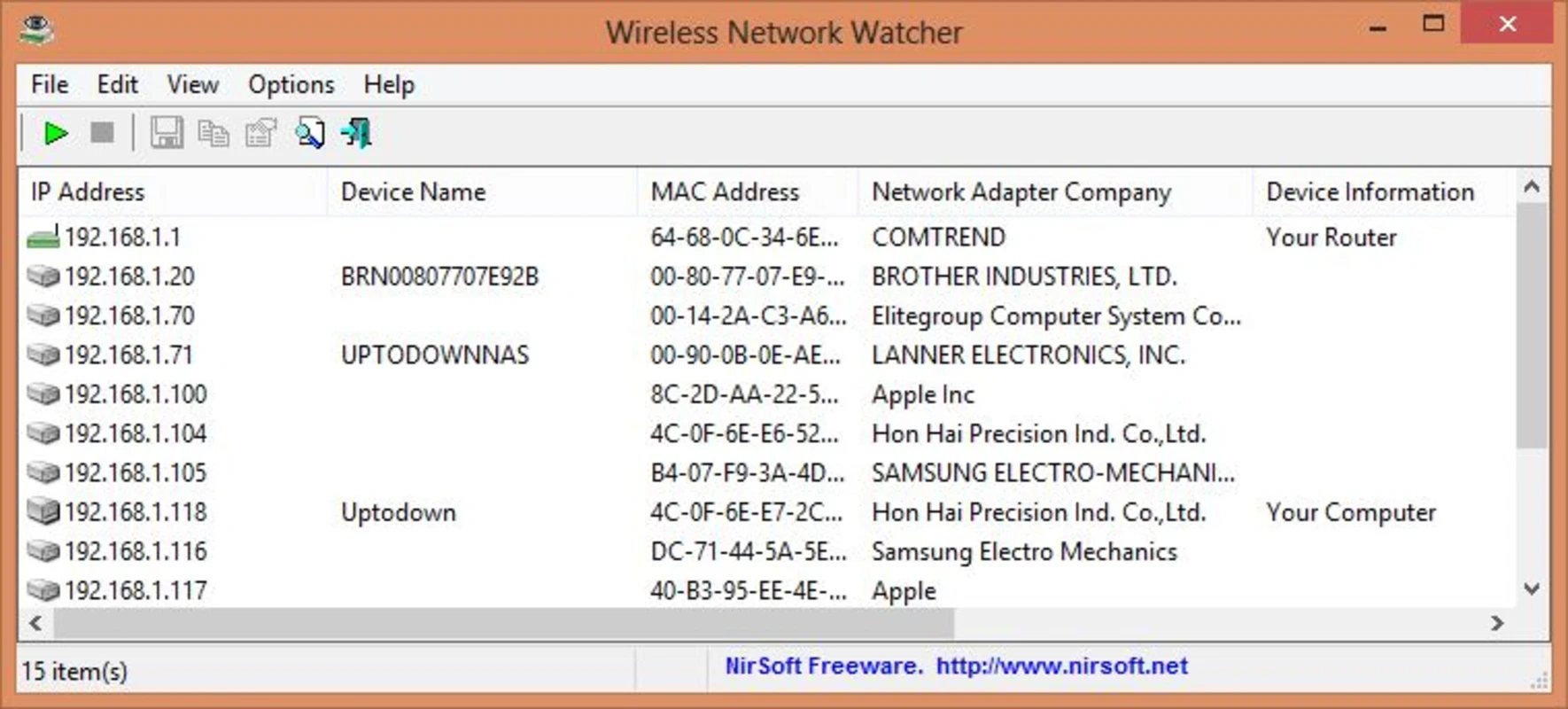
Wireless Network Watcher 2.45 is a small free utility for Windows by Nir Sofer (NirSoft). You download Wireless Network Watcher to find out which computers and gadgets are connected to your Wi-Fi or wired network right now, and to spot a device that should not be there.
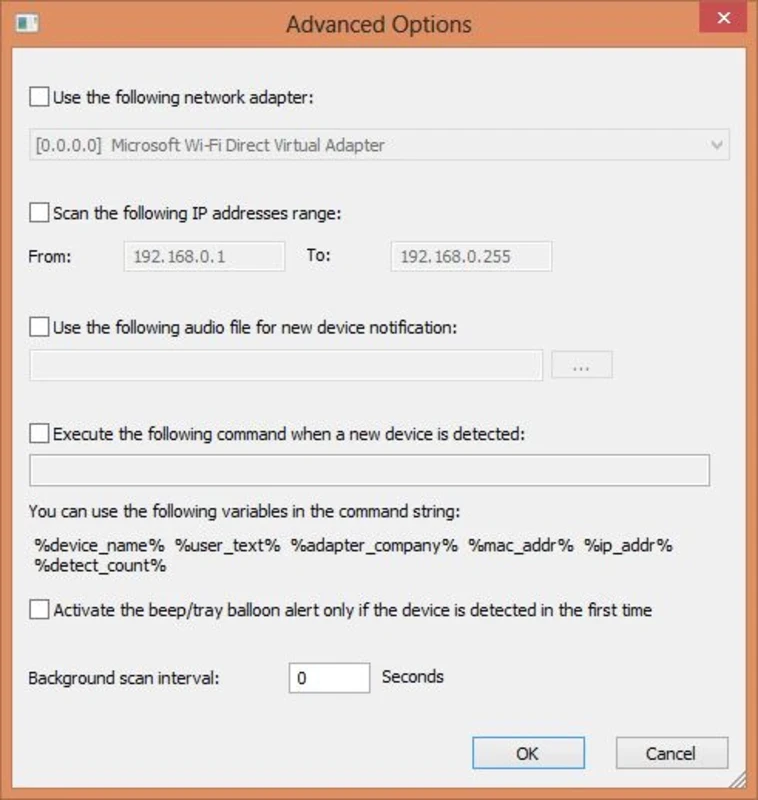
The program scans the network your PC is connected to and builds a table of every responding device. For each one you see the IP address, the MAC address, the company that made the network adapter, and the device name if it can be resolved. It also records when a device was first and last detected, so after a few days you have a simple history of who has been connected. You can leave it running in the background: it rescans at a set interval and can play a sound or show a tray notification when a new device appears. That is handy if you want to know when a neighbour or an unknown gadget joins your Wi-Fi. The results can be exported to text, HTML, CSV or XML for a report. Unlike NetCut and similar tools, Wireless Network Watcher only observes; it does not block or disconnect anything, which makes it safe to use as a pure monitoring tool.
Any Windows PC connected to the network you want to check. It works on Wi-Fi and wired Ethernet networks alike, despite the name. Scanning large corporate networks may require choosing a specific adapter and IP range in advanced options.
Check the unknown MAC address against devices in your home, including TVs, speakers and smart plugs. If it is really foreign, change the Wi-Fi password in the router, switch to WPA2 or WPA3 security and disable WPS.
The tool is free. Some antivirus products flag NirSoft utilities as potentially unwanted simply because they reveal network or system information; download only from nirsoft.net to be sure you get the original.
NetCut on our site can also block devices on your own network, Wireshark analyses traffic in depth, and WinMTR helps diagnose connection problems.
SHAREit is a free Windows app from the SHAREit Team for moving photos, videos and documents between a PC and a phone. The current version is 5.1.0.7.

Zapya for Windows is a free file transfer app from DewMobile for moving files between a PC and phones over a local wireless connection.

Easy Connection to Screen is Samsung's Windows app for showing a PC's screen on a compatible Samsung TV over a wireless connection.

Internet Download Manager (IDM) is a shareware download manager for Windows from Tonec that accelerates, resumes and schedules downloads.

uTorrent (μTorrent) is a small BitTorrent client for Windows from Rainberry (BitTorrent Inc) for downloading and sharing files over torrents.

AnyDesk is a remote desktop application for connecting to and controlling another computer over the internet, from a small Windows program.

ShareMe is Xiaomi's free app for sending files between devices without a cable; on Windows the Android app runs only inside an emulator.

Xender is a free file sharing app from the Xender File Sharing Team for sending files between phones and computers over a local connection.